
Video games and consoles
Your game collection, on a shelf of its own
Photograph a cover and Collectors Den suggests which game it is. Every console gets its own shelf, every copy its own condition.
 Free · iPhone and Mac · No ads, no subscriptions
The cover says which game it is
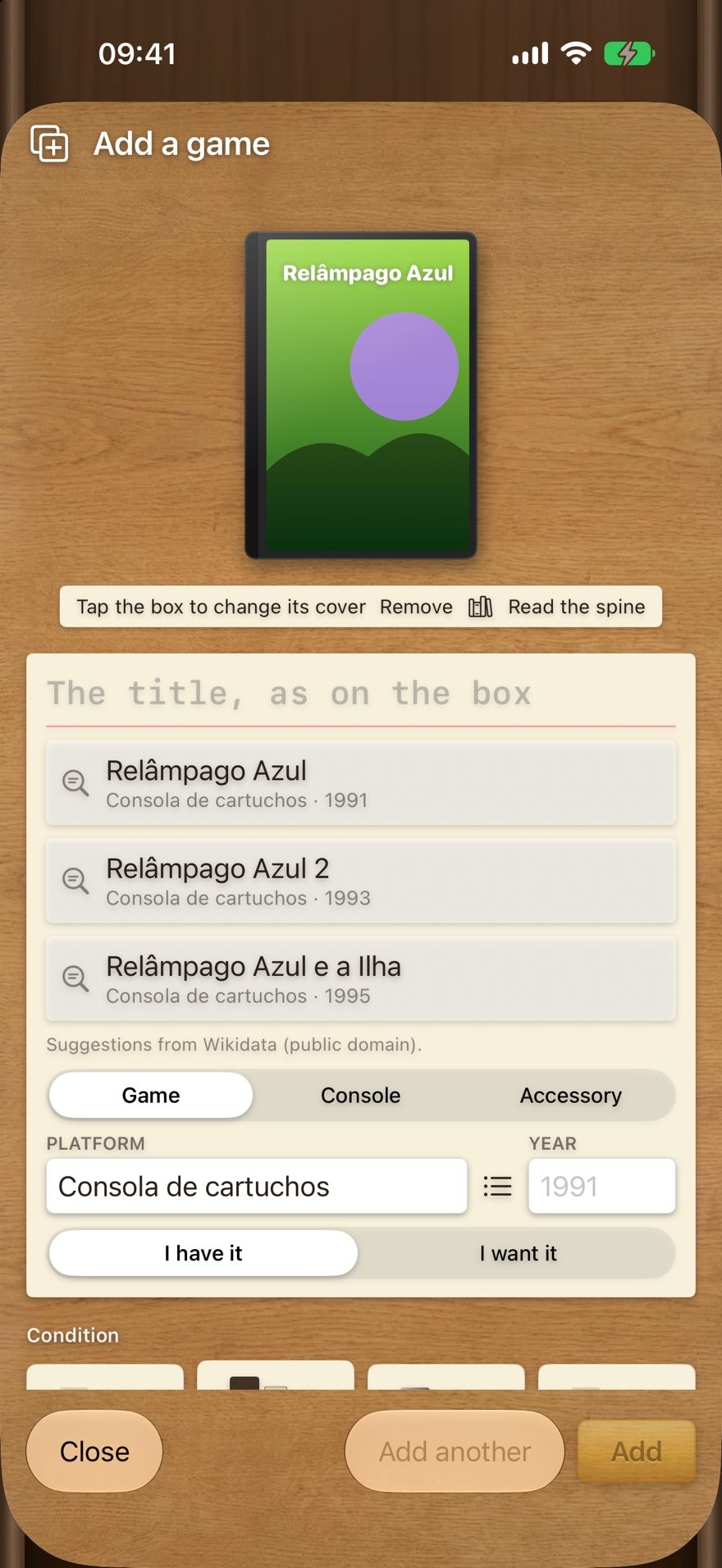
Point the camera at the box before you type anything.
- The title is read on the device and matched against a catalogue of more than 51,000 games.
- If the title is drawn into the artwork, read the spine instead.
- Choose game, console or accessory, then the platform and year.
The details collectors actually track
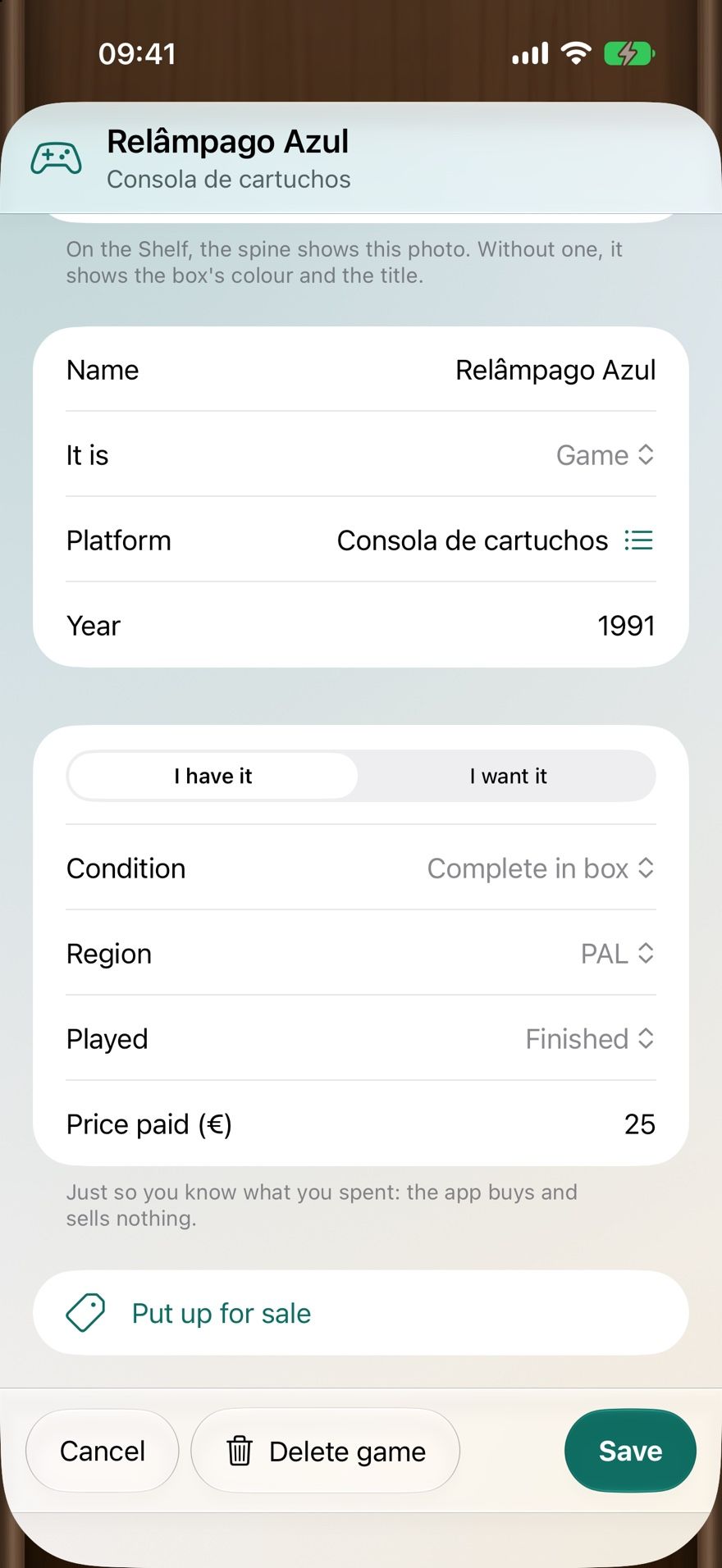
Each copy keeps its own record.
- Condition (for example, complete in box), region and whether you’ve played or finished it.
- Price paid — a record of what you spent. The app buys and sells nothing.
- Owned or wanted, so your wishlist lives next to your shelf.
- Accessories such as controllers, linked to their console.
Shelves by console, spines facing out
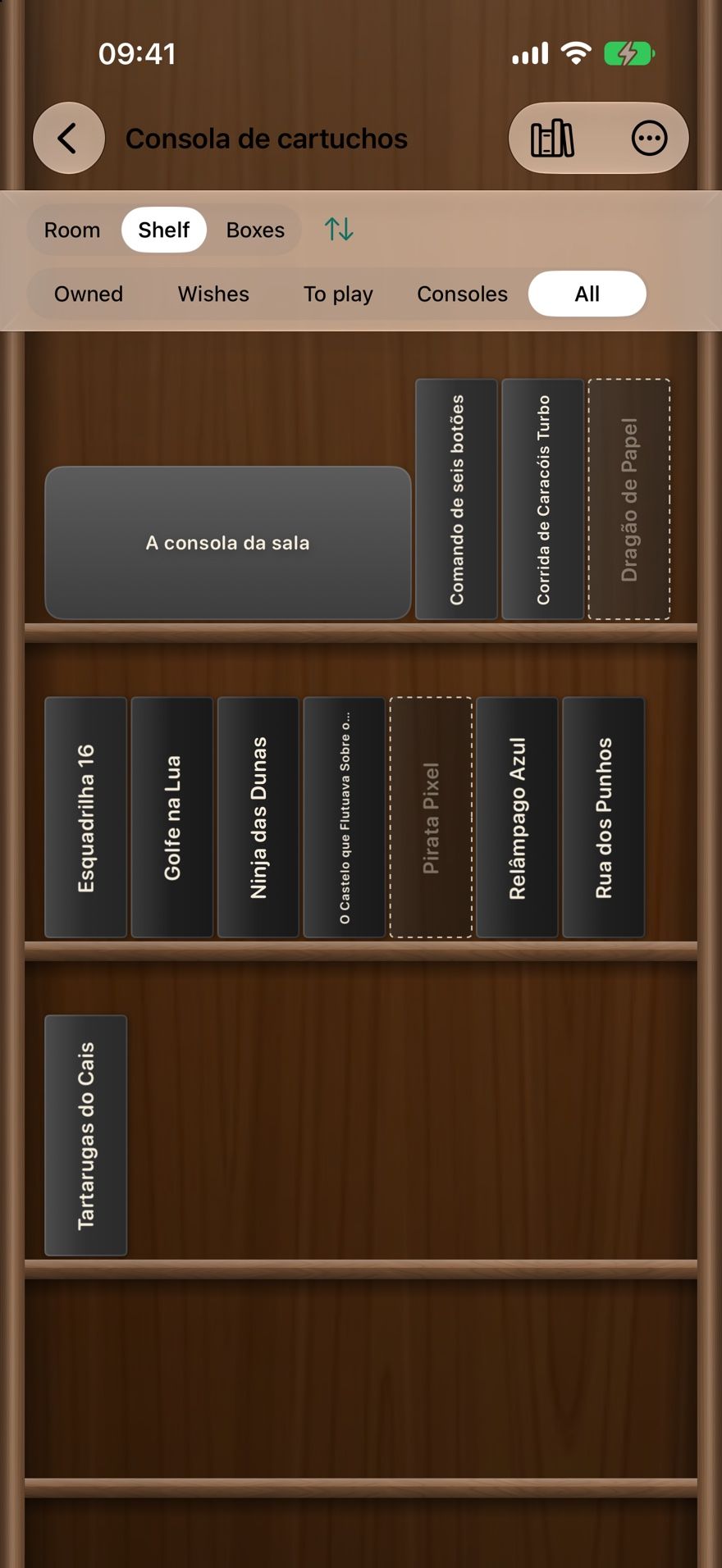
Each console gets its own shelf as soon as you add its first game. Browse by spine, by console or everything together, with each accessory next to its console.
- Filter by owned, wishes, to play and consoles.
- Make the full list of a console’s games and tick off the ones you own.
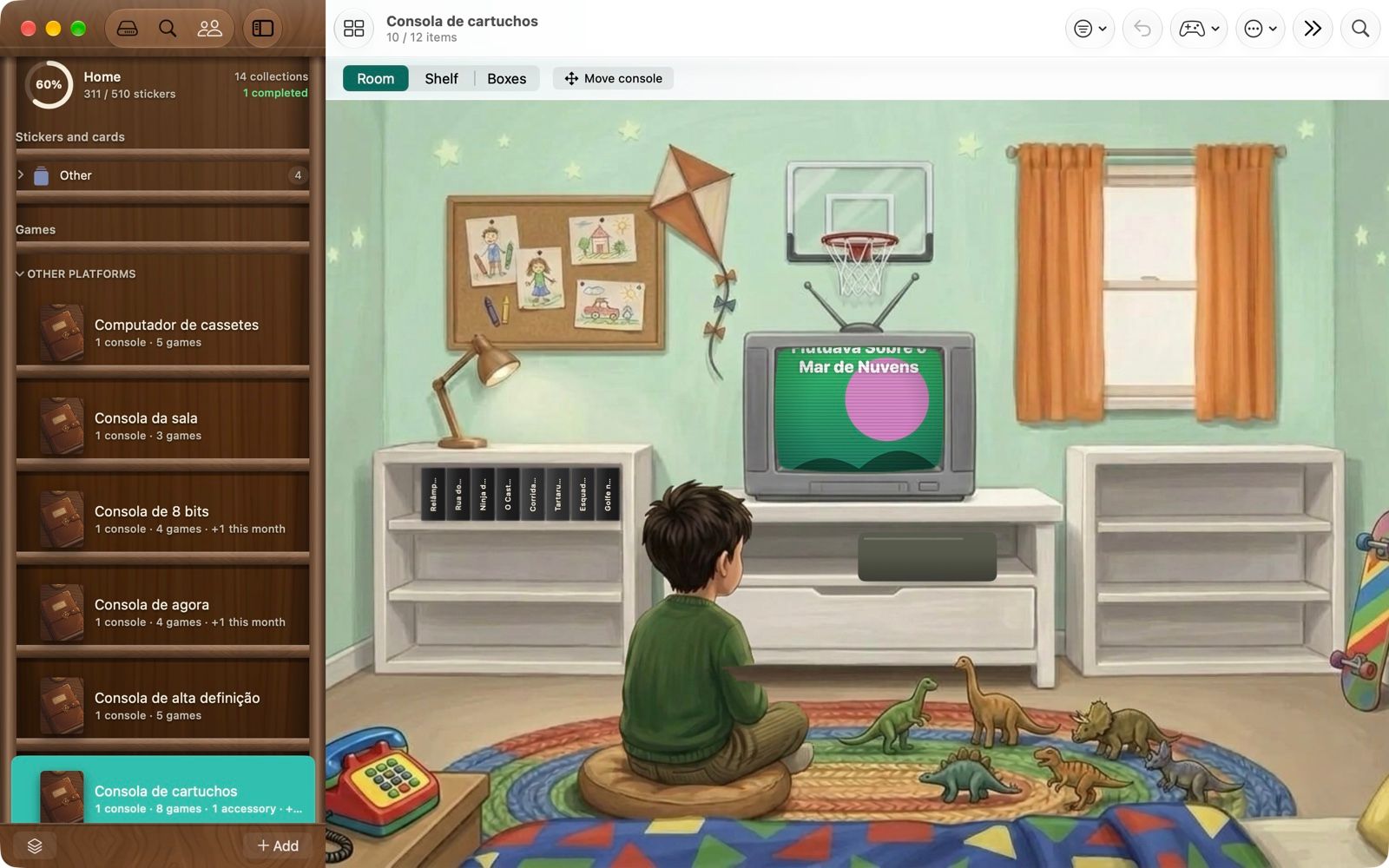
- A games collection opens in a bedroom from that console’s era, with your games on the shelves.
On your iPhone and your Mac
The same games collection on both through your own iCloud — catalogue at the shelf with the phone, browse on the big screen.
- Share your games with family; games have a share of their own.
- Back up everything to a file of your own; deleted collections wait 30 days in the trash.
Honest limits
- No barcode scanning and no downloaded box art — the pictures are your photos.
- No market prices or collection valuation.
- iPhone and Mac only.
Read next: How to catalogue your video game collection, or see how it compares with dedicated game databases.
Video game collection questions
How does it recognise a game?
Photograph the box before you type the name. The app reads the title on the device and suggests matches from a catalogue of more than 51,000 games (built from Wikidata, which is public domain). If the title on the front is stylised artwork, it can read the spine instead. You confirm the match.
Does it scan barcodes?
No. Games are identified from the cover title or the spine, or you type the name.
Does it download box art?
No. Covers, spines and console pictures are your own photos. The app ships and downloads no images for games.
Can it tell me what my games are worth?
No. It records what you paid for each copy — just so you know what you spent — but it doesn’t track market prices.
Why isn’t there a completion percentage for games?
A games collection has no fixed end, so it counts instead: how many you have, how many came in this month, the condition of each copy and the ones you still want. If you do want a checklist, make the full list of a console’s games and tick them off.

Put your games on the shelf
Free · iPhone and Mac · No ads, no subscriptions, no account