
For iPhone and Mac
Every collection deserves a home.
Track your sticker albums, trading cards, video games and consoles. Know what you own, what you’re missing and what you’re ready to swap.

- Free
- No ads
- No subscriptions
- No account
- iCloud sync
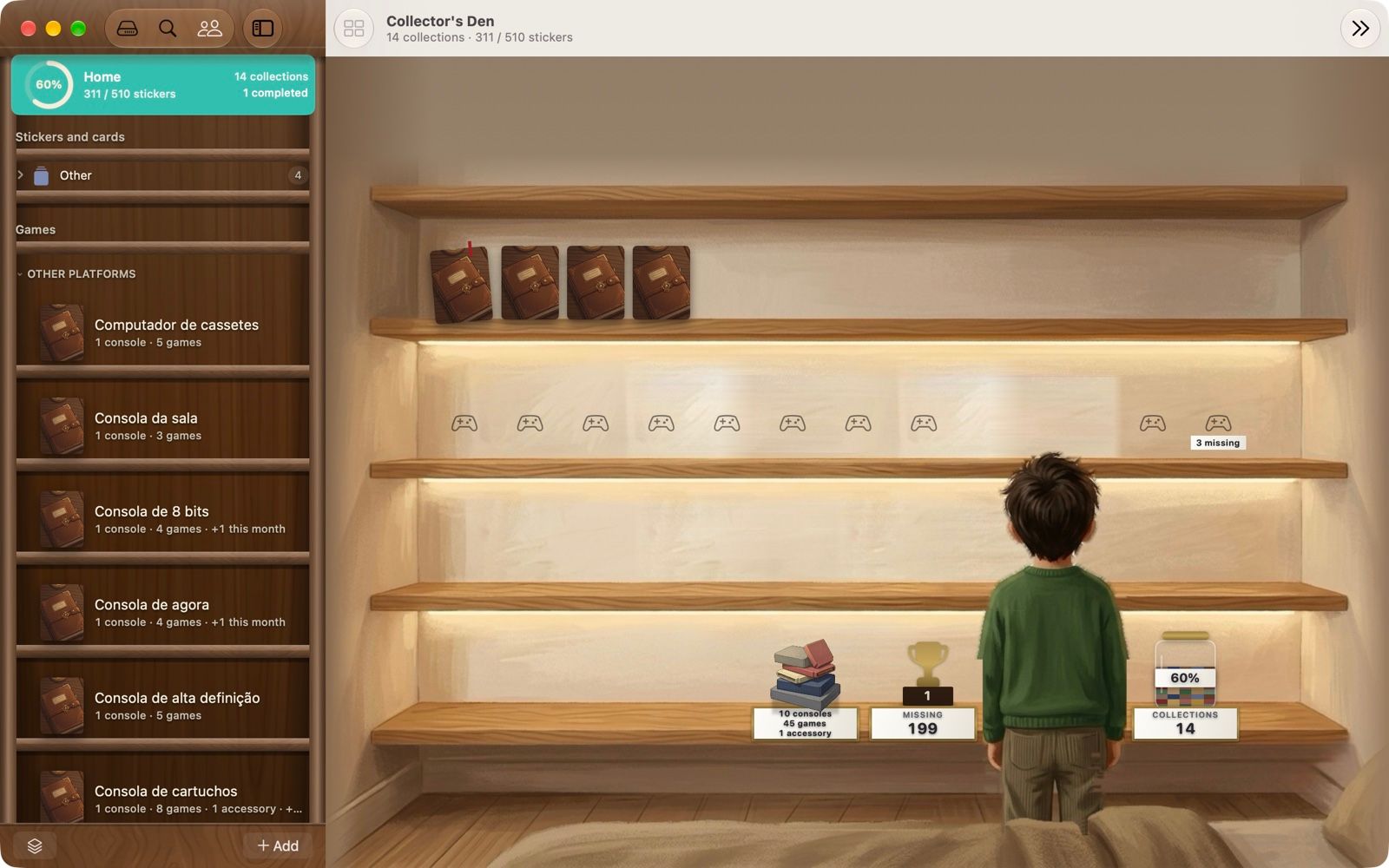
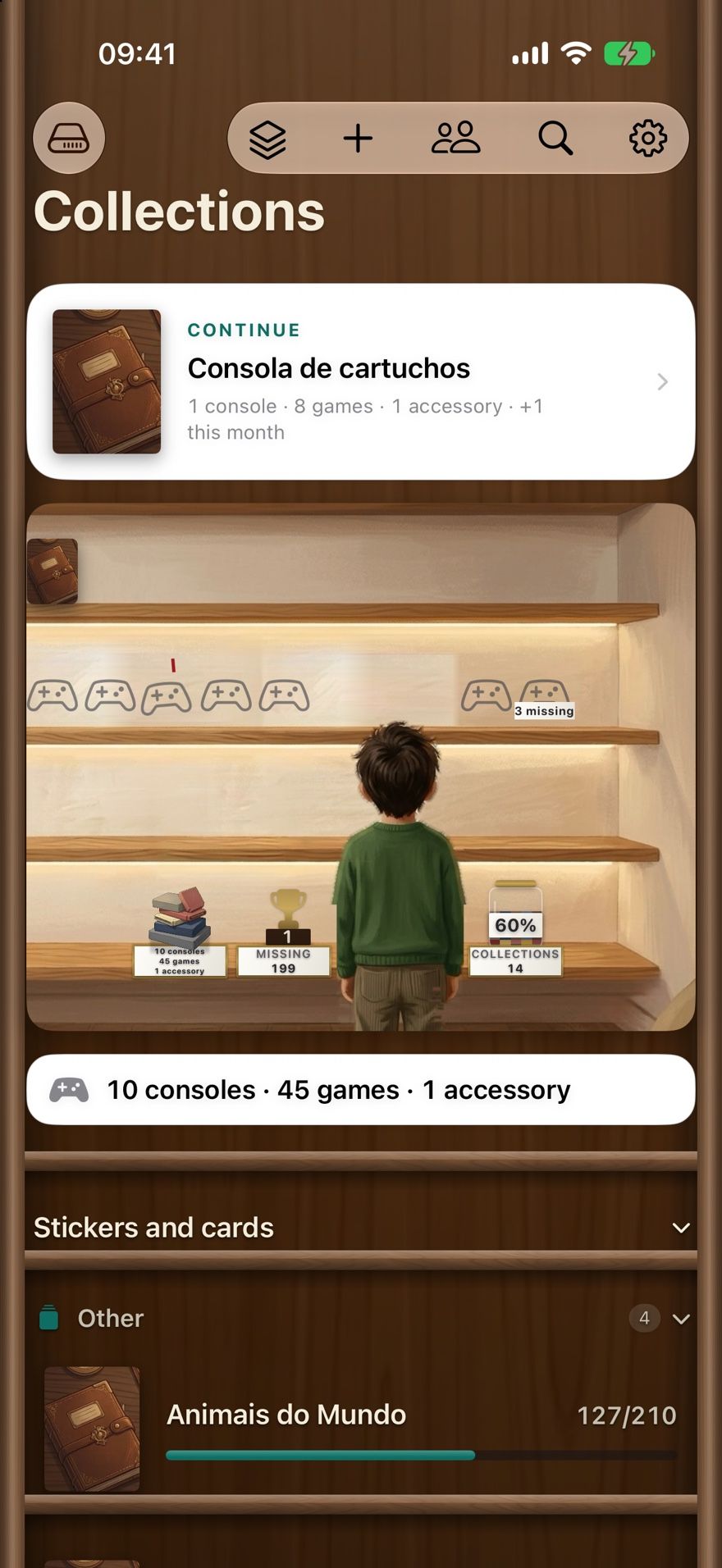
Real screenshots from Collectors Den 2.1.0, showing the app’s demo collection.
What it keeps track of
One app for the things you collect
Sticker albums
Mark every sticker you have, see what’s missing at a glance and keep count of your duplicates.
Sticker album tracker →Trading cards
Import a card set by name from public catalogues, then tick off what you own in a nine-pocket binder.
Trading card collections →Video games and consoles
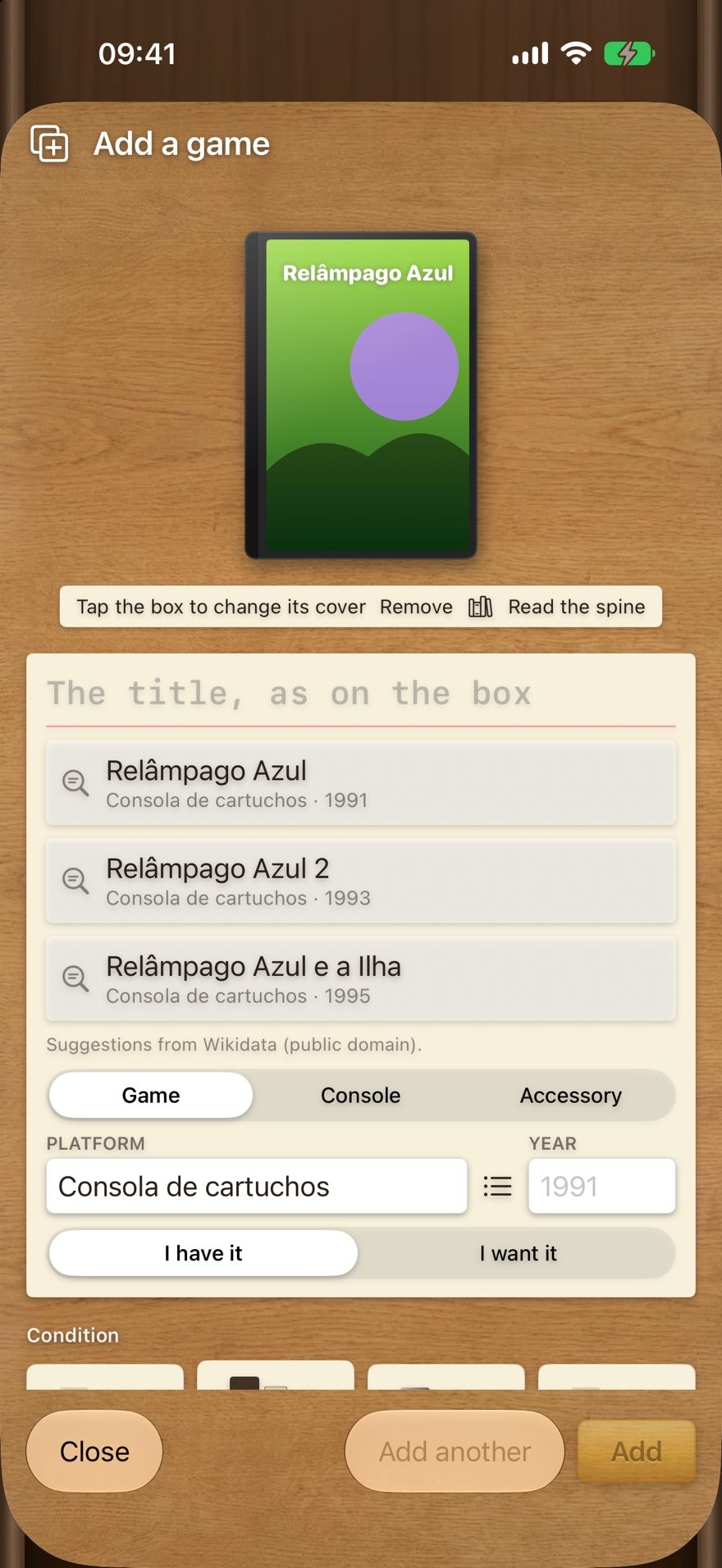
Photograph a game’s cover and the app suggests which game it is. Shelves per console, condition per copy.
Video game collection tracker →Missing and owned
Know exactly what’s left to find
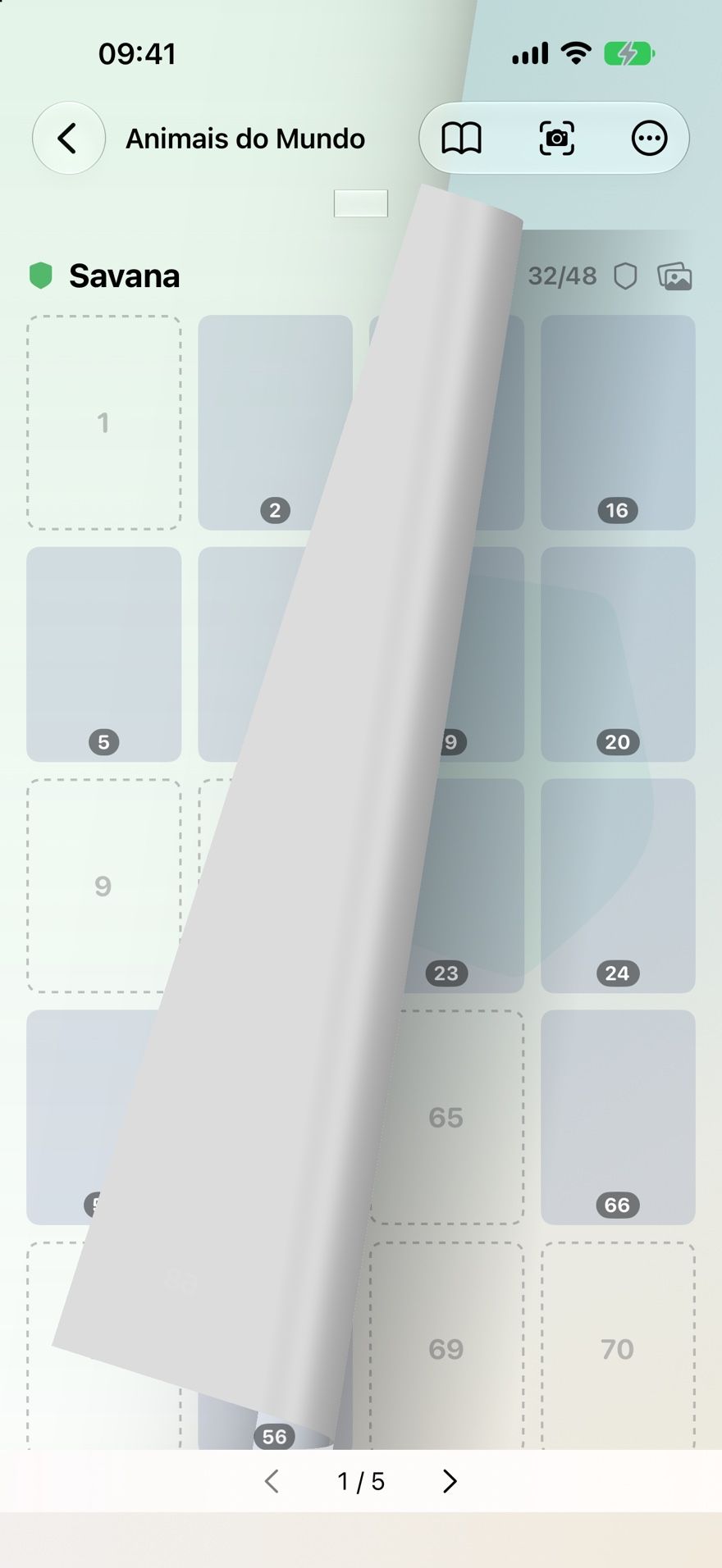
Each collection counts itself: how many you have, how many are missing and how far along you are. In album mode the pages turn like paper, so an album still feels like an album.
- Build an empty album by pages, with the numbering done for you, or import a CSV list.
- Point the camera at the number on the back of a sticker and the app tells you whether you already have it. The reading happens on the device.
- Print the album, labels or your missing list as a PDF.
Duplicates
Spares that turn into swaps
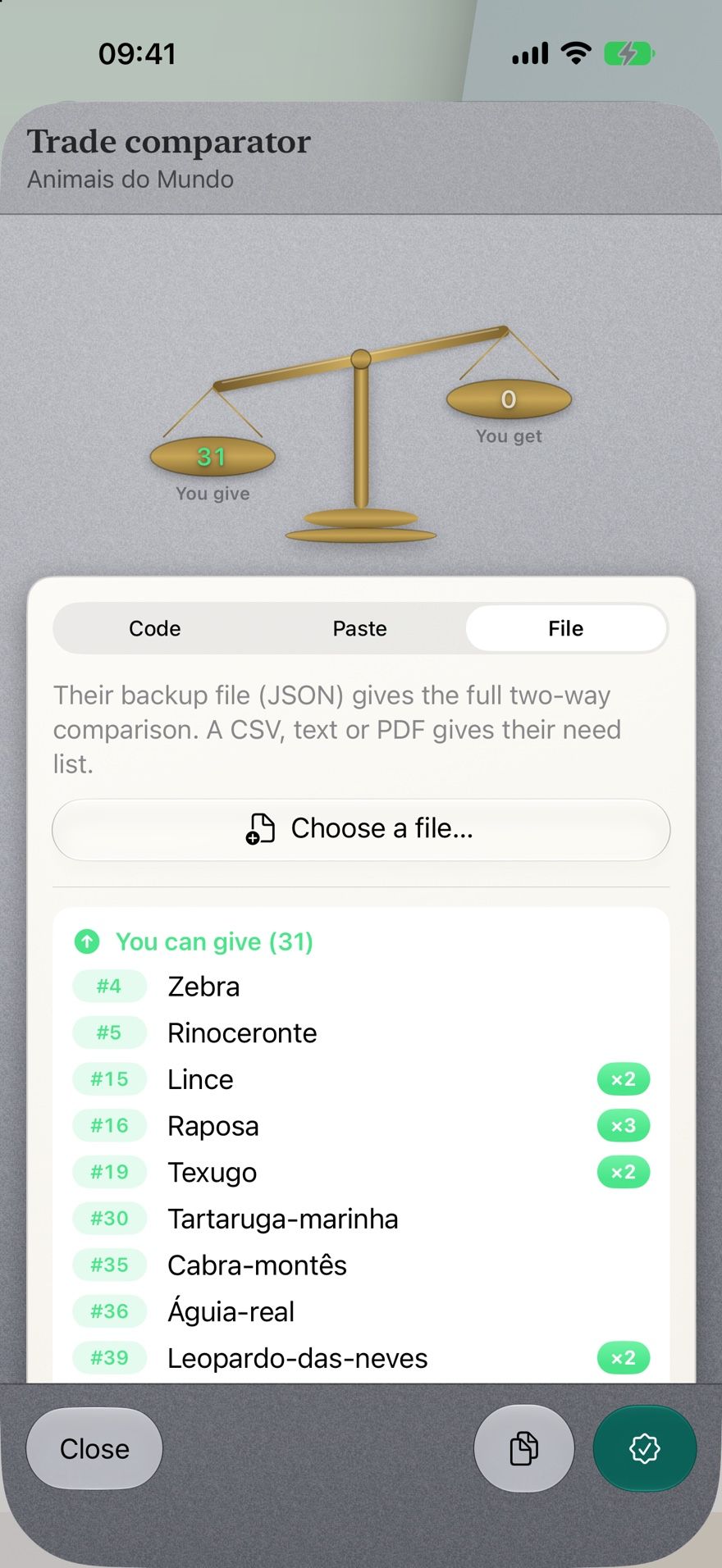
Compare your list with a friend’s and see who can give what. Their list can arrive as a code, pasted text or a file. When someone asks for a duplicate, reserve it for them so you don’t promise it twice.
- Two-way comparison: what you can give, what you can get.
- Reservations keep track of who a spare is set aside for.
- No payments, sales or purchases happen inside the app — you arrange the swap yourselves.
Games
The cover says which game it is
Photograph a game box before typing anything: the app reads the title on the device and suggests matches from a catalogue of more than 51,000 games. If the title is part of the artwork, read the spine instead.
- Record condition, region, whether you’ve played it and what you paid.
- Link controllers and accessories to their console.
- Make the full list of a console’s games and tick off the ones you own.
Family
Share an album with the people you choose
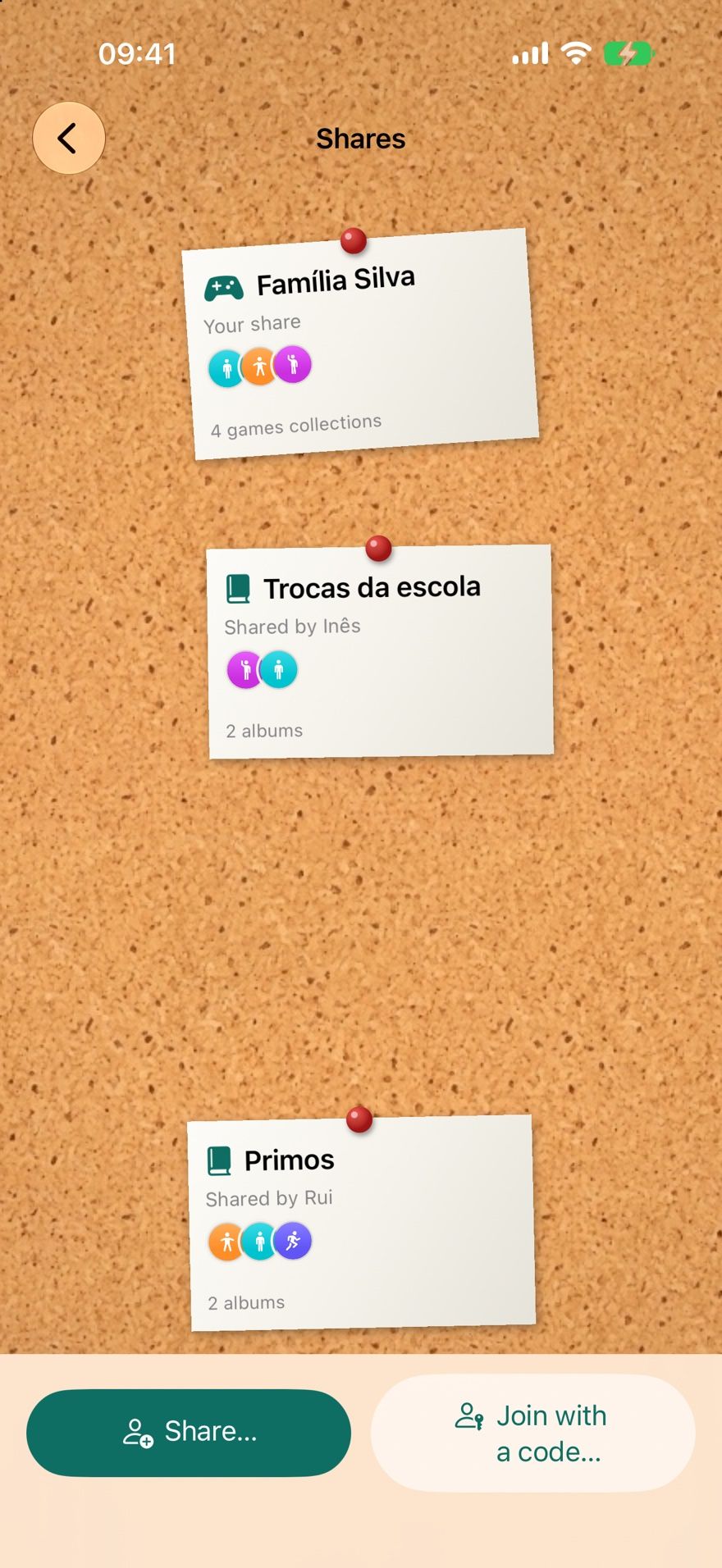
Pick, album by album, what to share, and invite people by the email or phone number of their Apple Account. Each invitation has a code that works only for that person and lasts a week. Whoever joins marks stickers just like you.
- Everything else stays yours: sharing one album shares only that album.
- Games have a share of their own.
- Sharing works between Apple devices signed in to iCloud.
The deal
No ads. No subscriptions. No account.
Collectors Den is free on the App Store. There is no sign-up and no login. Your collections live on your device and in your own iCloud, and the developer has no access to them. The App Store privacy label reads “Data Not Collected”.
Free to download
No in-app purchases are listed on the App Store, and there is no paid tier.
Nothing to sign up for
Open it and start. iCloud is optional: without it the app works the same, locally.
Your data stays yours
Stored on your device and in your iCloud. A backup file and a 30-day trash protect against mistakes.
iPhone and Mac
The same collection on both through iCloud — a widget on iPhone, your progress in the Mac menu bar.
Good to know
What Collectors Den doesn’t do
Choosing the right app is easier with the limits on the table.
- It runs on iPhone and Mac only. There is no Android, Windows or web version, and no iPad version on the App Store.
- It doesn’t ship ready-made checklists for specific sticker albums. You create an album by its page and sticker counts, or import a CSV list.
- It doesn’t value your collection or track market prices. For games it only records what you paid.
- It doesn’t identify trading cards from a photo. Card sets are imported by name from public catalogues.
- It has no marketplace, chat or matching with strangers. Swaps are arranged between people who already know each other.
- Game covers and console pictures are your own photos; the app downloads no artwork.
Guides
Practical guides for collectors
How to track missing and duplicate football stickers
A practical system for football sticker albums — keep a missing list, count duplicates properly, and turn spares into fair swaps without double-promising.
How to organise a sticker album collection on your iPhone
Set up sticker albums on iPhone so they stay accurate — naming, sections, quick marking, the camera, family sharing and backups that survive a new phone.
Best sticker album tracker apps for iPhone (2026)
Four sticker album trackers for iPhone compared on checklists, duplicates, swapping, ads, accounts, sync and privacy, using each app’s own App Store listing.
How to organise a trading card collection
A step-by-step system for sorting, storing and tracking trading cards — by set and number, binders or boxes, protecting valuable cards, keeping a checklist.
How to catalogue your video game collection
What to record for each game and console, how to handle regions, condition and accessories, and how to keep a game catalogue accurate as your shelf grows.
Collectors Den vs. spreadsheets for tracking a collection
An honest comparison of tracking a collection in a spreadsheet or a collection app — setup, daily use, swaps, sharing, data — plus a layout to start from.
Frequently asked questions
Is Collectors Den free?
Yes. It’s free on the App Store, with no in-app purchases listed, no subscriptions and no advertising.
Do I need to create an account?
No. There’s no sign-up or login. If you’re signed in to iCloud, your collections sync between your iPhone and Mac; without iCloud everything works locally on the device.
Which devices does it run on?
iPhone with iOS 18.0 or later, and Mac with macOS 14.0 or later — one purchase covers both. It isn’t available for Android, Windows or the web.
Does it include the checklist for my sticker album?
No ready-made album checklists are included. You can create an album by saying how many pages and stickers per page it has (the numbering is generated for you), or import a CSV list you already have. Here’s how to set one up.
Can I use it for football sticker albums?
Yes — any numbered sticker album works. See how to track missing and duplicate football stickers.
Can it tell me what my collection is worth?
No. Collectors Den doesn’t track market prices. For video games you can record what you paid for each copy.
Can I buy, sell or trade inside the app?
No transactions happen in the app. You can compare lists with someone to see possible swaps and reserve duplicates for them; the swap itself is up to you.
Which languages is it available in?
English, Portuguese, French, Spanish, Italian and German. It follows your device’s language, and you can pick another in Settings → Language.
What data does the app collect?
None, according to its App Store privacy label (“Data Not Collected”). The details are in the privacy policy.

Start organising your collection
Free on the App Store for iPhone and Mac. No ads, no subscriptions, no account.